Showing posts with label telecom. Show all posts

Saturday, May 27, 2017

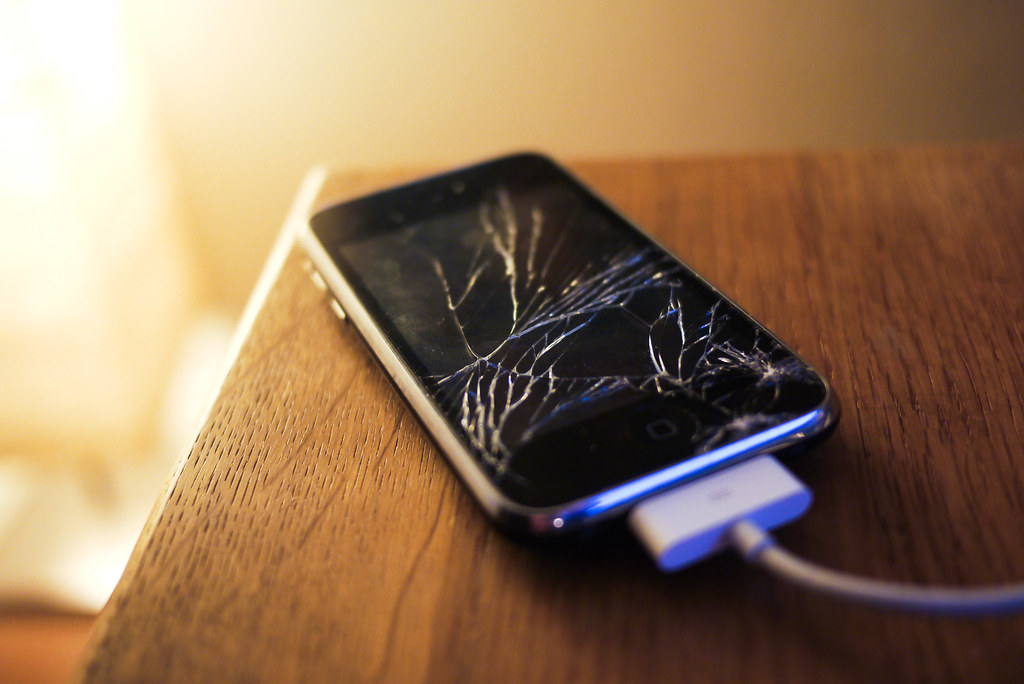
Handing Over Your Handset for Repairs? Do this first!

Almost everyone faces this challenge.  Your handset is wonky and in need of professional attention.  It’s time to take it to the repair shop to fix whatever’s gone wrong and you’re feeling justifiable anxiety.

What if they copy off my data?  What if they damage it further?  What if they install substitute parts?  What if they install malware?  While not all repair shops are unscrupulous, it is always best to take a few steps to add extra protection.

Step 1: Prepare

Prepare your smartphone by doing two things. First, un-encrypting the data.  That's right, remove the encryption security feature temporarily.  This will make it easier to move data to the cloud or another device.  Second, make a note of both the phone IMEI number and the battery serial number (if removable).
Step 2: Wipe After Backup

It may seem extreme, but the best way to protect your data is to not hand it over at all.  Leaving your password on offers some protection, but it can also prevent the repair technician from doing a thorough job or repairing and testing the phone.

Take a few moments to backup the handset to the cloud or a computer, ensure your data is retrievable and then proceed to wipe all settings and data.  In effect, what you are doing is a factory reset to make the phone like the day you bought it.

Step 3:  Remove the SIM & SD card

Protect your privacy by retaining your SIM card.  If the technician needs to make a test call, they should have a compatible SIM on hand expressly for this purpose.  Just be sure to let the technician know if your handset is locked to a specific network.

Similarly, pull out your micro SD card (if you’ve got one installed).  Chances are, you’ve got more than just precious pictures on the card.  Some smartphones save apps and critical data on the removable storage device in order to free up space on the unit.

If you forgot to unencrypt your card before removing it from a wiped handset, your data may be irretrievably lost.  That’s why it’s listed at Step 1; it’s important!

Step 4: Take Pics

Rope in a friend to assist by using their smartphone to take pictures of your smartphone.  Engage your ‘CSI’ self and take multiple pics from various angles including images of any damage, images of the internal components and clear images of the battery including the serial number where possible.

Step 5: Protective Packaging

Don’t transport your phone without protective packaging.  Break out the original box, if you still have it, or some bubble wrap, if handy.  You want to ensure that you don’t pick up any more bumps and scratches between when you transport it to the shop and when they return your repaired handset.

Step 6: Timestamp the receipt

Note the specific date and time your phone left your possession and keep this information with you.  Let’s hope your phone is returned in perfect condition in a short time.  If not, you made need your timestamped receipt to lodge a complaint.  Worse, you made need your receipt to prove that you had no access to your handset for a period of time.  The rest, I will leave to your imagination.


Once you've got your precious instrument back, check it thoroughly to ensure there are no new scratches.  Make sure it is your phone and battery by inspecting the IMIE and battery serial number.  Factory reset the phone one more time.  Install your SIM and micro SD card. Then restore from your backup.

Once you're up and running, it is time to encrypt your data for maximum protection.  Then back it up again.  You're ready to go.  Enjoy your repaired phone!


Thursday, May 25, 2017

6 Easy Steps to Slash Your Smartphone Bill

Smartphones are great!!

They keep us connected in a myriad of ways.  They provide us with hours of entertainment.  In some cases, they control our homes and keep us fit.  It seems like there is very little a smartphone can’t do, including saving you money!

The price of convenience can be very high.   Call charges.  Data overages.  Feature-rich contracts.  They all come at a cost.  But that cost is manageable by taking a few simple steps to tame your smartphone bill.

Step 1:  Chose the Right Plan

Bundled minutes and data.  Free weekends and nights.  CUGs (Closed User Groups) and other options are only good if they apply to you.  Scrutinise your bill regularly and update your plan periodically as your usage habits change.

There is no point in paying for features that you don’t use or underutilise.  Compare your plan to other plans offered by your telecom or to plans offered by other telecoms.  After all, thanks to number portability no one is trapped by a service provider.

Step 2: Consider Alternatives

Is it a smartphone, right?  So, it’s connected.  Some of us have already moved away from traditional cellular calls (you can go ahead and laugh if you remember life before cellular), while others are still waiting to hop on the VOIP (voice over internet protocol) bandwagon.

But VOIP, video conferencing and messaging are all great alternatives to phone calls.  There is a plethora of apps that offer some, or all, of these options in one neat package.  Most notably is WhatsApp.  This nearly ubiquitous app offers text messaging, file sharing, voice calling and video calling on an encrypted platform for free.  Only data charges apply if no Wi-Fi.

Concerns about call quality are diminishing fast as the technology evolves.

Step 3: Tame Data Use

So, sure.  I just said VOIP is a great option, but care is still needed in data management.

Generally, VOIP options don’t consume that much data, but every bit and byte can add up.  Especially if you’re not managing your data use correctly.

You should disable background refresh on most (if not all) apps, delete unnecessary apps and close apps that you’re not using.  Apps can really drain your data and rack up expenses quickly and overages cost real money.

The trade off to save money by cutting data use in favour of Wi-Fi is not absolute, especially when dealing with sensitive data.  Don’t jump onto any old hotspot just because it's free.  Make sure it's safe before your browse; especially when visiting banking and email sites.


Step 4: Plan You Roam

If you thought your smartphone bill was high, try taking it on a trip overseas!

Roaming charges can put you in the poorhouse.  Make sure that you have the right roaming plan.  That’s a plan customised to the region you are visiting and your call, text and data needs.

Are you planning a long trip or a short trip?  Going on vacay or on business?  Is there reliable Wi-Fi in the hotel and other destinations on your itinerary? Do you need access to your VPN?  Your answers to these questions will help determine if you can find a cost-effective plan or if you need to get a local SIM.

Step 5: Don’t Roam Overboard

In principle, data is cheaper than calling.  That principle does not necessarily apply.

Before you head out to the airport, turn off data roaming for all non-essential apps to reduce the temptation to “just check” (this tip helps with my Amazon addiction) and consider if you must post to Instagram (or similar social media apps) in real time or if posting from the free hotel lobby Wi-Fi in the evening is just as good.

Save even more money: download maps for the destination and enjoy free access to GPS navigation for your trip.

Step 6: Ditch Voicemail

Seriously?  You still have voicemail?  That’s so 90’s.  Get rid of it.  There is no need to pay for calls you are not even receiving; especially when roaming.

Vigilance is the key to enjoying both the convenience and the cost of owning a smartphone.

Monday, August 9, 2010

Tech Time: WiMAX

In simple terms, Worldwide Interoperability for Microwave Access or WiMAX, means wireless broadband. Imagine if you will, a giant hotspot right across the island with high-speed Internet access. That’s WiMAX.

WiMAX offers speeds comparable to DSL and cable with download speeds of up to 10 Mbps. It also offers comparable reliability and accessibility. But, that is where the similarities end.

Notably, WiMAX is consumer installed. Pick up a WiMAX modem from the local mobile or computer store, plug it in and it is installed. No CDs, software drivers or technicians necessary to get the service up and running in minutes.

Because WiMAX by definition is wireless, no landlines or hardwire installations are needed. That means, no wait times, no need to have strangers visit your home and no ugly cables running all over the house.

Thousands of towers have been upgraded to facilitate island wide wireless broadband making the service readily accessible to most Jamaicans living in populated areas. The wireless 4G signal is available in many locations where cable and DSL are not available.

WiMAX really sets itself apart from hardwire Internet options with its mobility. With a USB dongle, WiMAX users can take the high-speed Internet on the road.

Of course, WiMAX wouldn’t be a practical option if not comparable on cost, which it is. Both pre and post-paid plans offer unlimited data transfer with competitive fees.

All in all, WiMAX is fast, reliable, mobile, easy and cheap, like the Internet should be.

Interface with us:
On email: famefm@rjrgroup.com
On SMS: 876-878-FAME (18768783263)